
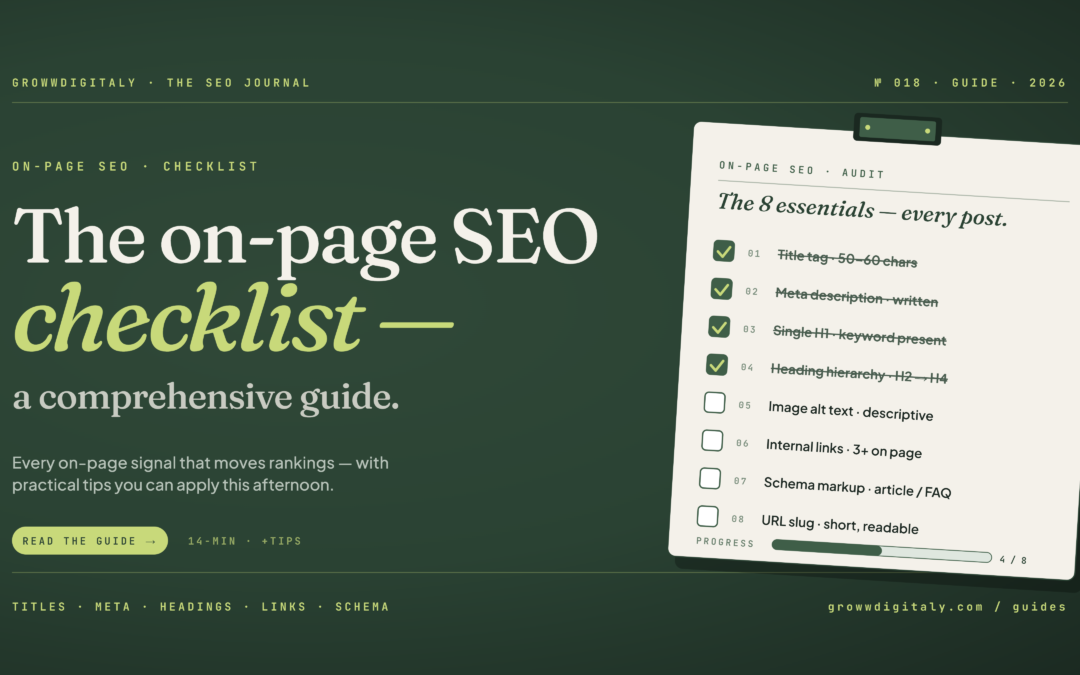
An on-page SEO checklist covers everything on your website you can control to help search engines and readers understand your pages: title tags, meta descriptions, header structure, URLs, content, internal links, image alt text, and page speed. Fixed in the right order, these changes help a small business site earn clicks it’s already getting impressions for, without hiring an agency.
Key Takeaways
- On-page SEO is anything you control directly on your website, unlike off-page SEO (backlinks, mentions) or technical SEO (crawlability, indexing)
- A checklist works best as a starting structure, not a replacement for judgement about your specific site
- Fix in effort-to-impact order: title tags and meta descriptions first, page speed and content depth later
- The same on-page fundamentals that help you rank on Google also help you get cited in AI search results like ChatGPT and AI Overviews
- You don’t need paid tools to do this well. Google Search Console and a bit of patience will get you most of the way
What On-Page SEO Means for a Small Business Website
On-page SEO is the set of changes you make directly on your website’s pages, rather than things that happen elsewhere on the internet, to help search engines and readers understand what each page is about. It covers your title tags, headings, URLs, content, internal links, images, and page speed. Nothing on this list requires code experience or a developer.
If you run your own website, you already have more control over on-page SEO than you might think. You wrote the content. You can edit the title. You can add a heading. The barrier isn’t usually skill, it’s not knowing which of these things actually matter and which order to tackle them in. That’s what this checklist is for.
Why an On-Page SEO Checklist Still Works, Even Though SEO Isn’t “Just a Checklist”
A checklist won’t replace judgement about your specific site, your audience, or your industry, but it will stop you missing the basics that most small business websites get wrong. Used as a starting structure rather than a rulebook, a checklist gives you consistency and coverage. What it can’t give you is strategy.
I’ve seen the argument that SEO can’t be reduced to a checklist, and there’s truth in it. No list of eleven or twenty items will tell you what your specific audience is searching for, or how to write content that genuinely helps them. That part still takes thought and research.
But most small business sites aren’t losing visibility because of some hyper-specific strategic gap. They’re losing it because the title tag is generic, the headings don’t follow a clear structure, or the meta description was never written at all. A checklist fixes that layer. It’s not the whole of SEO, but it’s the foundation SEO sits on.
In short: a checklist covers the fixable basics; strategy and audience research cover the rest, and you need both.
On-Page vs Off-Page vs Technical SEO: What to Fix First When You’re Starting From Zero
On-page SEO is what you control on your own pages. Off-page SEO is what happens elsewhere, mainly backlinks and mentions. Technical SEO is whether search engines can actually crawl and index your site properly. If you’re starting from zero, fix on-page first, because it’s the one you have full control over and it doesn’t depend on anyone else.
Off-page work, like earning backlinks, takes time and often depends on other people linking to you or mentioning your brand. I’ve written more on how to approach that once your on-page foundation is solid, in my guide to off-page SEO strategy.
Technical SEO matters too, but if your site is built on a standard platform like WordPress, Shopify, Wix, or Squarespace, most of the technical basics (mobile-friendliness, basic crawlability) are usually already handled by the platform. On-page is where a small business owner gets the most return for the least specialist knowledge.
The On-Page SEO Checklist: What to Fix First on Your Website
Fix these in order of effort versus impact: title tags and meta descriptions first, because they take minutes and directly affect click-through rate, then headers, URLs, and internal links, and finally content depth and page speed, which take longer but matter just as much.
Title Tags That Get Clicks, Not Just Rankings
Your title tag is the blue link people see in Google. Keep it under 60 characters so it doesn’t get cut off, put your primary keyword near the start, and write it for a human deciding whether to click, not just for the algorithm. “Home” or “Welcome to [Business Name]” tells Google and your reader nothing.
Meta Descriptions That Earn the Click
A meta description doesn’t directly affect your ranking, but it’s your pitch in the search results. Keep it under 155 characters, include your primary keyword naturally, and give the reader a reason to choose your result over the one above or below it. An unwritten meta description means Google picks a random snippet from your page instead, and it’s rarely your best sentence.
Header Structure That Helps Google and Readers Understand Your Page
Use one H1 per page for your main title, then H2s for your main sections and H3s for sub-points within them. This isn’t just for search engines. A reader scanning your page in three seconds should be able to tell what it covers just from the headings.
URL Structure That Keeps Your Site Simple to Crawl
Keep URLs short, lowercase, and hyphenated, with your keyword included and stop words like “the,” “a,” and “and” left out. /on-page-seo-checklist is easier for both Google and your reader to understand than /blog/post-id-4471/the-complete-guide-to-on-page-seo.
Content That Actually Answers What People Are Searching For
Before you write, ask what the person searching this term actually wants to know, then answer that directly near the top of the page. Long content isn’t inherently better. Content that fully answers the question, without making the reader hunt for it, is what tends to perform well.
Internal Linking That Spreads Authority Across Your Site
Link from your blog posts to relevant service pages and other related content on your site, using descriptive anchor text rather than “click here.” This helps Google understand how your pages relate to each other, and it keeps readers on your site longer instead of bouncing after one page.
Image Alt Text That Helps You Show Up in Image Search
Every image should have alt text that describes what’s actually in it, ideally including a relevant keyword where it fits naturally. This also matters for accessibility, since screen readers rely on alt text to describe images to visually impaired visitors.
Page Speed Fixes That Stop Visitors Leaving Before They Read Anything
Compress your images, avoid unnecessary plugins, and check your site speed with a free tool. A slow page loses visitors before they ever see your carefully written content, and it’s one of the few on-page factors Google can measure directly rather than infer.
How the Same On-Page Basics Help You Show Up in ChatGPT and AI Search Results
The on-page fundamentals that help Google understand your page, clear headings, direct answers, well-structured content, are the same signals AI systems like ChatGPT, Perplexity, and Google’s AI Overviews use to decide what to cite. You’re not optimising for two different audiences here.
AI-generated answers tend to pull from content that answers a question clearly and early, rather than content that makes the reader scroll to find the point. That’s not a new skill to learn on top of on-page SEO. It’s the same discipline of clear structure and direct answers, applied to a newer kind of search.
In short: you don’t need a separate AI SEO strategy. Getting your on-page basics right is also what makes you more likely to be cited in AI search results.
The On-Page SEO Mistakes That Keep Small Business Sites Invisible
The most common mistake I see is stuffing keywords into content at a fixed density, based on outdated advice that a page needs the keyword repeated a certain number of times to rank. That’s not how modern search engines evaluate relevance, and content written this way usually reads awkwardly to an actual person.
The second is duplicating the same keyword intent across multiple pages instead of consolidating it into one strong page. This applies just as much to local businesses. If you’re targeting several nearby towns or areas, don’t write a near-identical page for each one. It’s worth reading how this plays out specifically for local SEO if that applies to your business.
The third is treating on-page SEO as a one-time task. Search intent shifts, competitors publish new content, and a page that ranked well eighteen months ago can quietly slide if nobody revisits it.
How Long On-Page SEO Takes to Show Results, and How to Know It’s Working
Most on-page SEO changes take four to twelve weeks to show a measurable shift in Google Search Console, though this varies by site age, competition, and how significant the change was. You won’t see results overnight, and anyone promising instant rankings from an on-page tweak isn’t being straight with you.
To track whether it’s working, check Google Search Console monthly for the specific pages you’ve changed. Look for average position moving up and impressions holding steady or climbing while clicks start to follow. If impressions are high but clicks stay at zero, that’s usually a sign the title tag or meta description still isn’t earning the click, not that the whole page has failed.
Frequently Asked Questions
As a small business owner, Do I need to fix everything the on-page checklist, or just some of it?
Start with title tags and meta descriptions, since they take the least time and have a direct effect on click-through rate. Work through the rest in the order listed. You don’t need to finish everything before you start seeing some improvement.
How as a small business owner, do I know if my on-page SEO checklist for is actually working?
Check Google Search Console for the pages you’ve updated. Look for average position improving over four to twelve weeks. If impressions are steady but clicks stay at zero, the issue is usually your title or meta description, not your content.
How long does it take for on-page SEO changes to show up in rankings for my business?
Typically four to twelve weeks, depending on your site’s age, competition in your industry, and how significant the changes were. Smaller, newer sites often take longer than established ones.
Can I do on-page SEO myself fro my small business, or do I need to hire an agency?
You can do on-page SEO yourself. It doesn’t require code or specialist tools, just an understanding of what to fix and in what order, which is what this checklist is for. Off-page SEO and technical audits are where specialist help becomes more valuable.
What’s the difference between on-page, off-page, and technical SEO?
On-page is what you control directly on your pages. Off-page is what happens elsewhere, mainly backlinks and mentions. Technical SEO is whether search engines can crawl and index your site properly. All three work together, but on-page is the one you have the most direct control over.
Does on-page SEO help businesses show up in ChatGPT and AI search results?
Yes. The same clarity and structure that helps Google understand your page, direct answers, clean headings, well-organised content, is what AI systems use to decide what to cite. There’s no separate checklist needed for AI visibility.
Want someone to look at your site and tell you exactly which of these fixes it needs? Get in touch and I’ll take a look.
A Final Word
If you’re running your own website without an agency behind you, you don’t need to fix all of this in one weekend. Pick the highest-impact items first, title tags and meta descriptions, and work down the list as you have time. Small, consistent changes add up more than people expect.
If you’d rather have someone look at your specific site and tell you exactly where the gaps are, I offer SEO services built around your actual business, not a template. You can get in touch here if that would help.

Shweta Gupta is a UK-based marketer specialising in SEO, content strategy, and AI-assisted marketing workflows. She has experience across SEO, paid media, content optimisation, website management, and digital marketing across various industries.